How do I cancel my subscription?
Written By rlowell
Last updated 7 months ago
You can cancel your subscription at any time from your account dashboard. Once cancelled, your subscription will not renew, and you will continue to have access until the end of your current billing period.
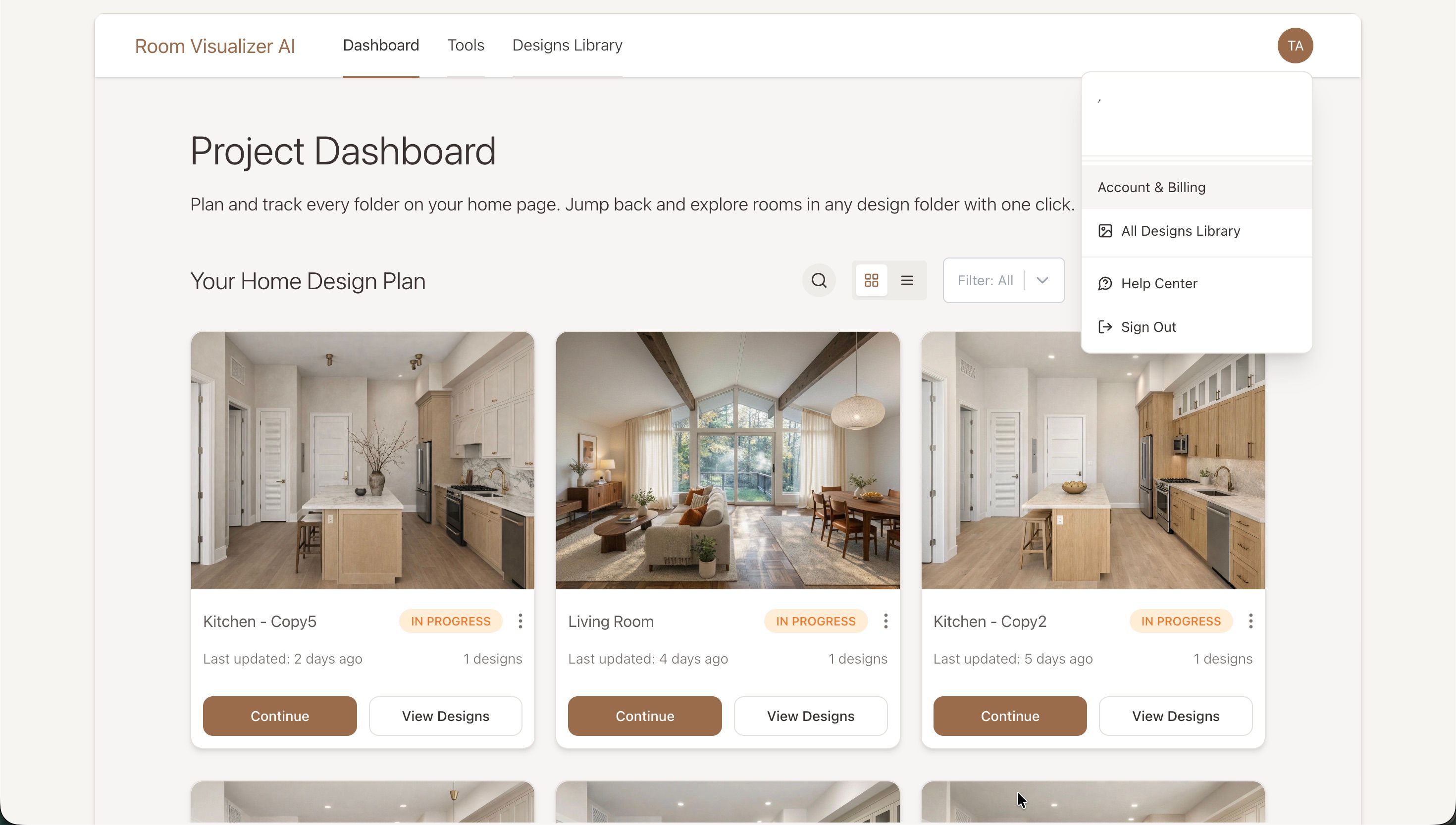
Step 1: Open your account menu
After logging in, go to your Dashboard.
In the top-right corner, click your account icon to open the dropdown menu.
Select “Account & Billing.”
Step 2: Open the Subscription & Billing section
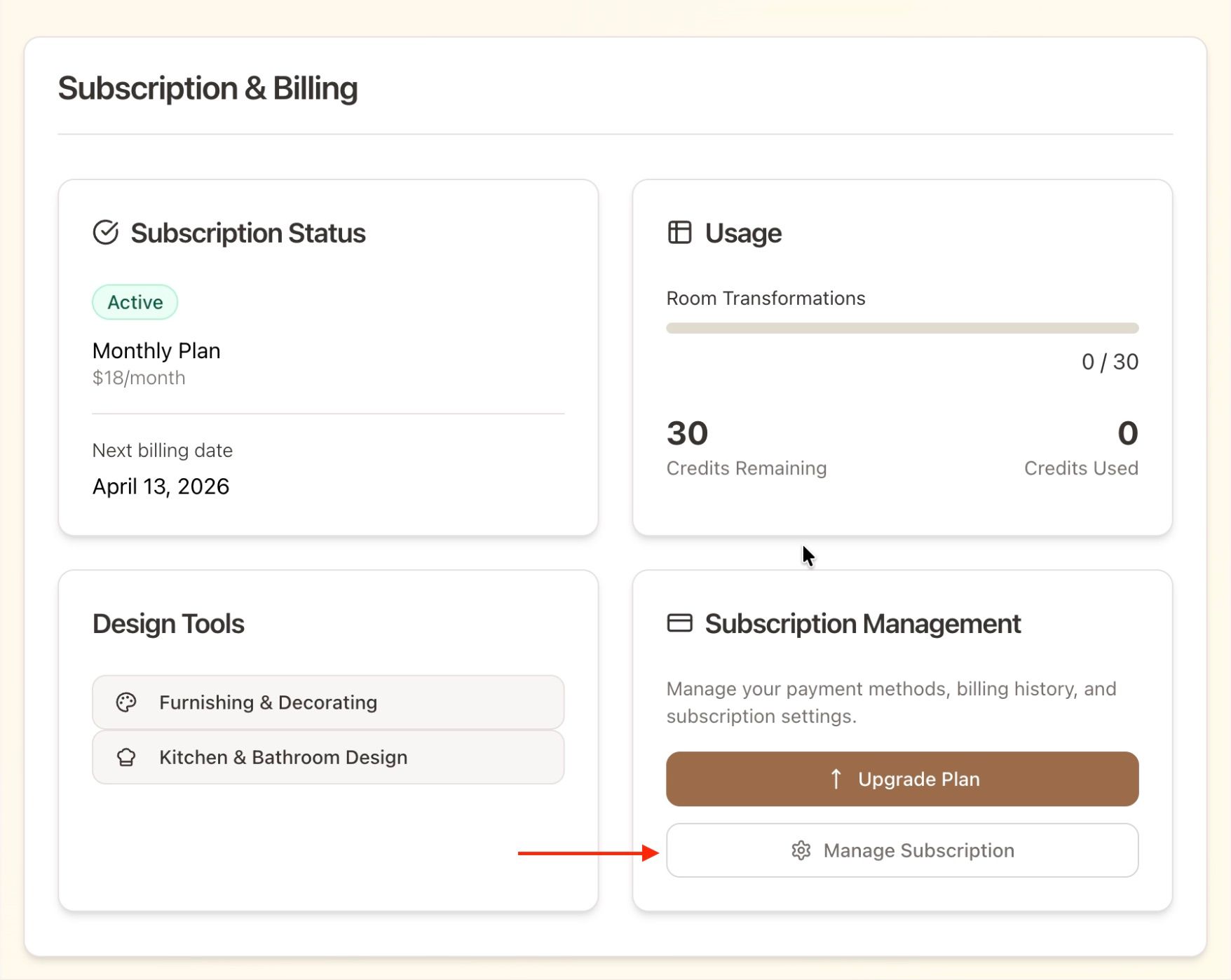
You will now be on the Your Account page.
Scroll down until you see the Subscription & Billing section, then click “Manage Subscription.”
This will open the secure billing portal where you can manage your subscription.
Step 3: Cancel your subscription
Inside the billing portal, click “Cancel Subscription.”
Follow the prompts and confirm the cancellation.
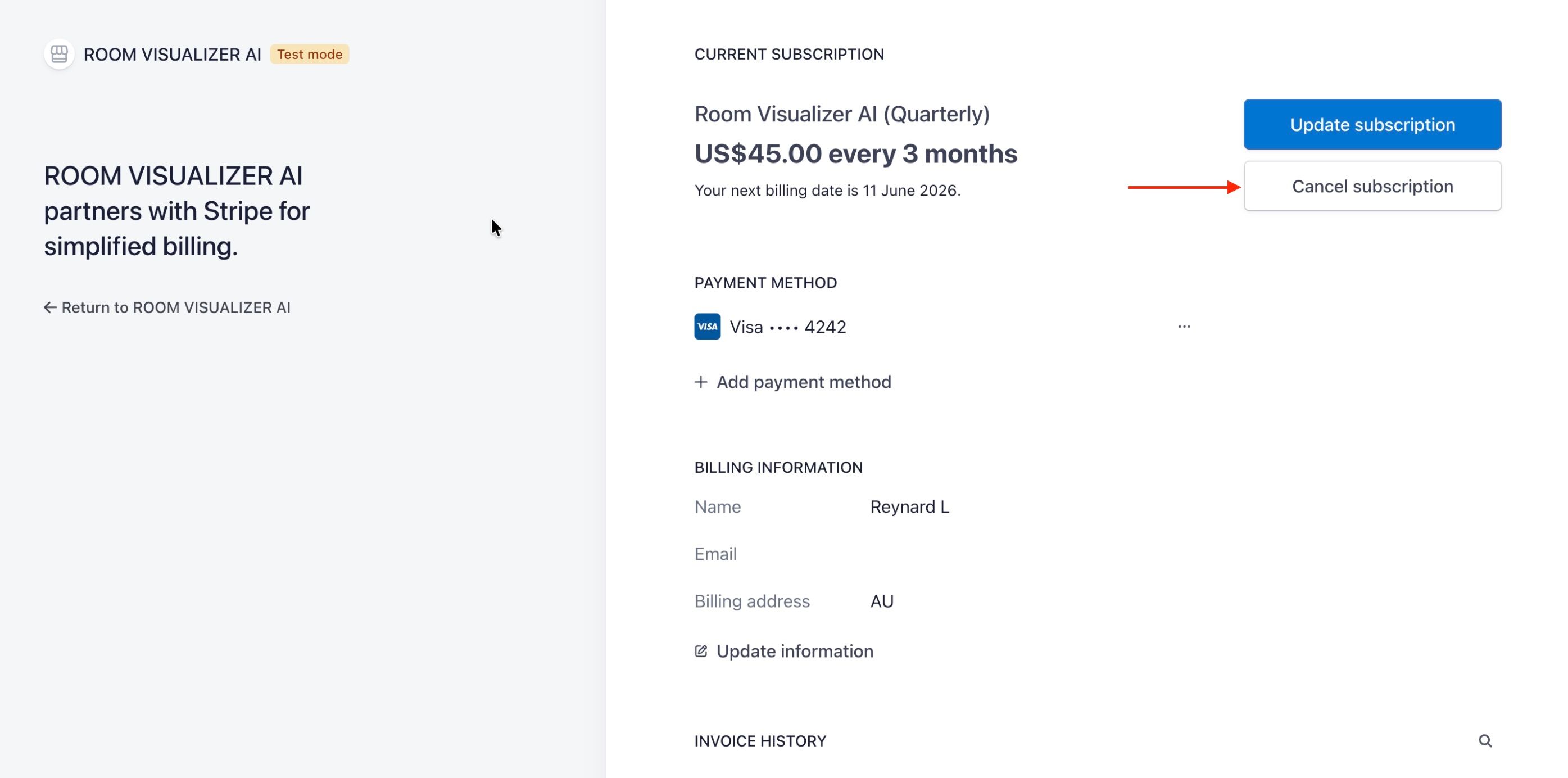
Make sure you complete the cancellation all the way through until you see the confirmation message.
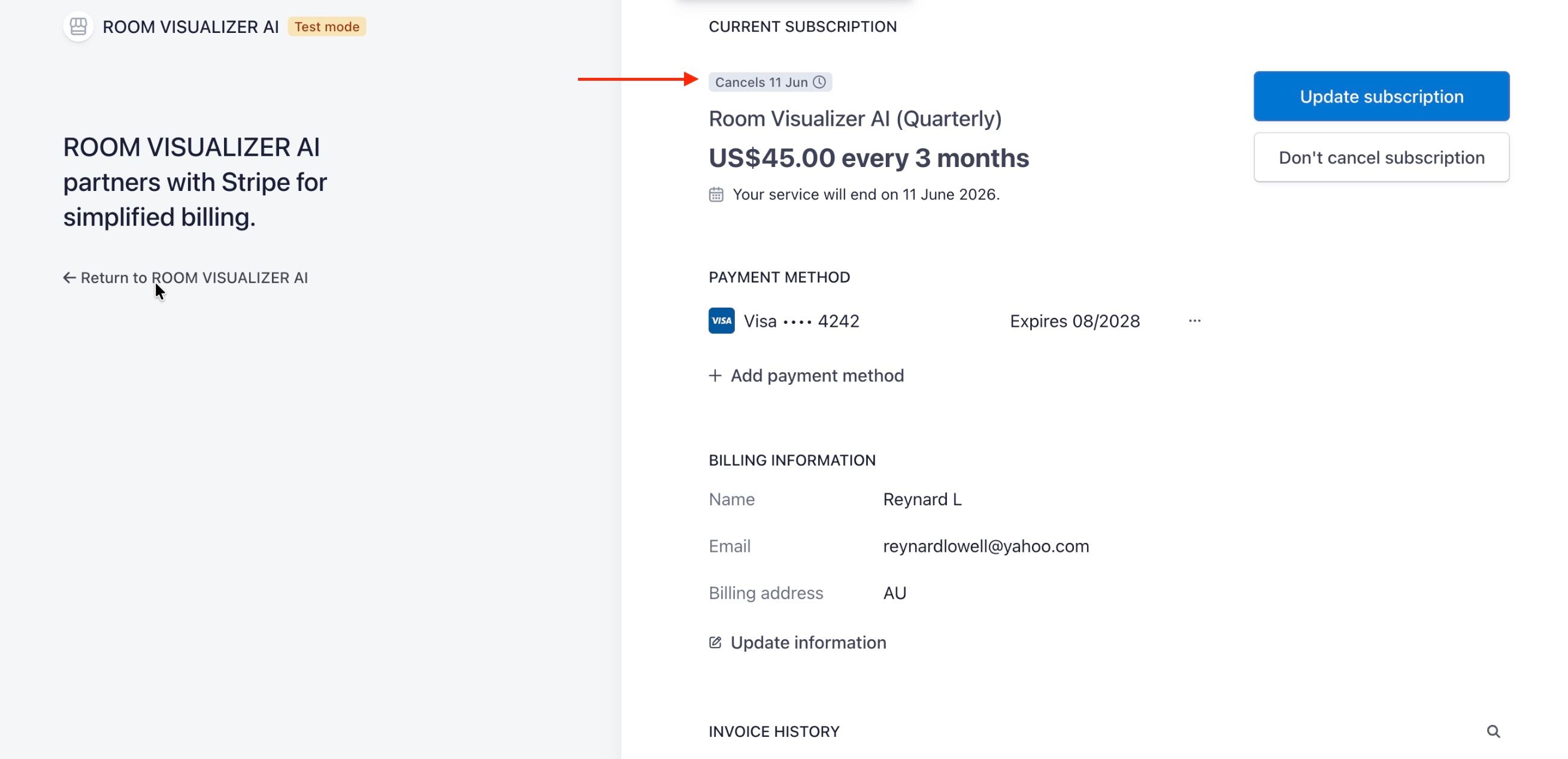
Once cancelled, your subscription will show as Cancels ‘date’.
You will still have access until the end of your current billing period, but it will not renew automatically.
If you return to Account & Billing, you will also see:
Your subscription status as Cancelled
The date when your access ends
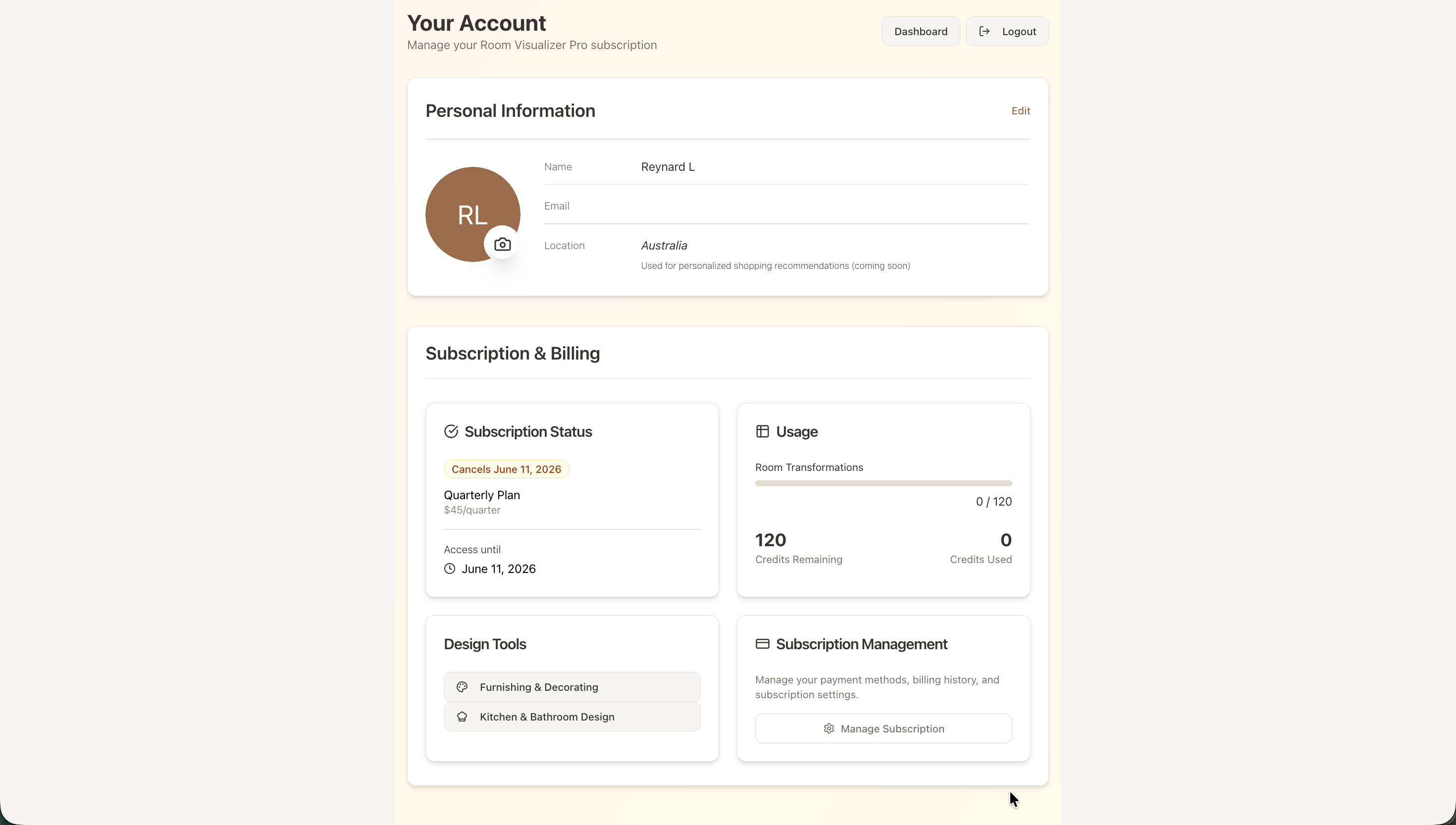
After that date, the subscription will expire and you will not be charged again.
If there’s any issue, please send us an email at help@roomvisualizerai.com
Was this helpful?
Still need help? Ask the team