How do I restart my subscription?
Written By rlowell
Last updated 7 months ago
If you previously cancelled your subscription, you can easily restart it from your account.
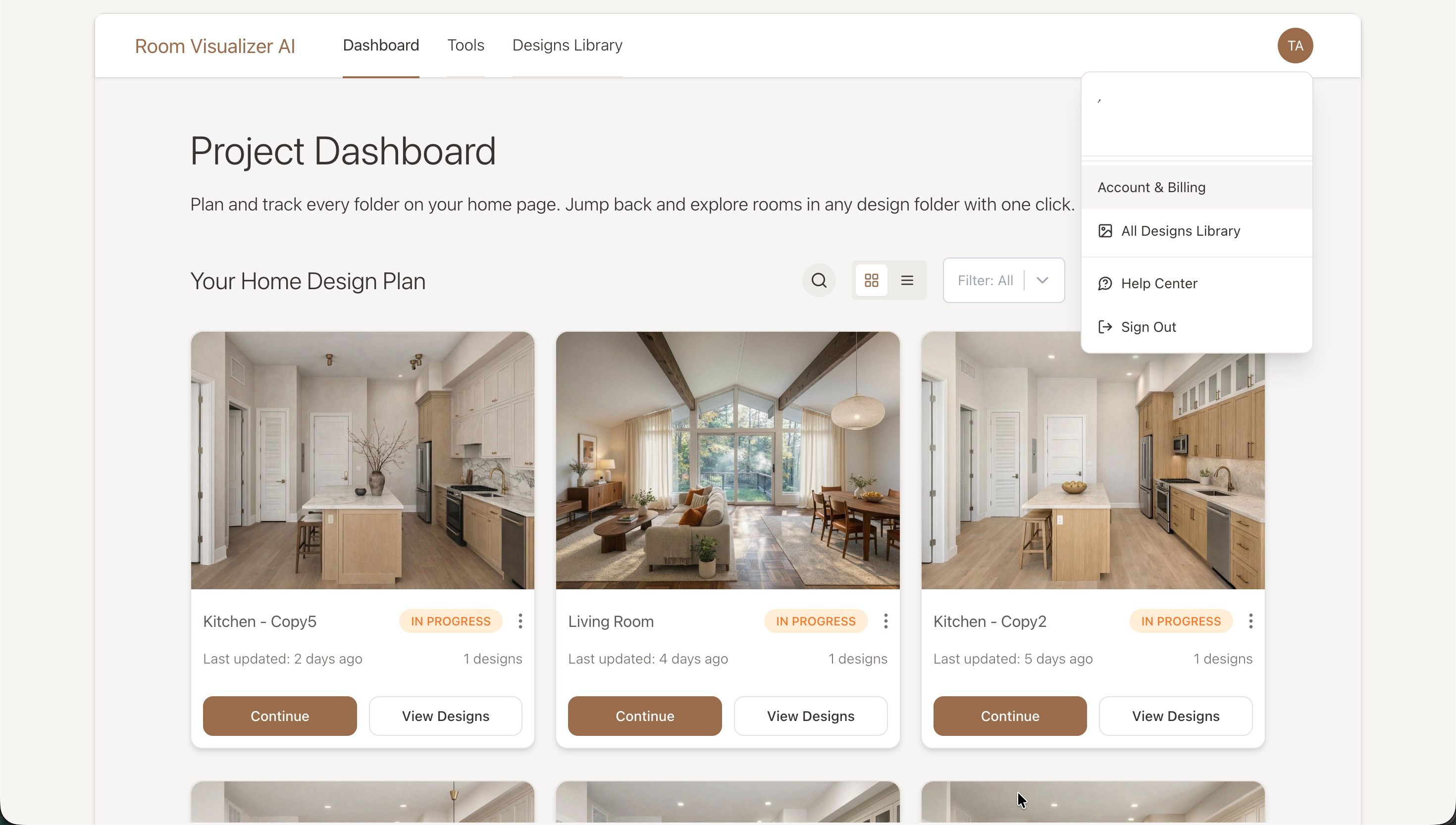
Step 1: Open your account menu
Log in to your account and go to your Dashboard.
In the top-right corner, click your account icon to open the dropdown menu.
Select “Account & Billing.”
Step 2: Restart your subscription
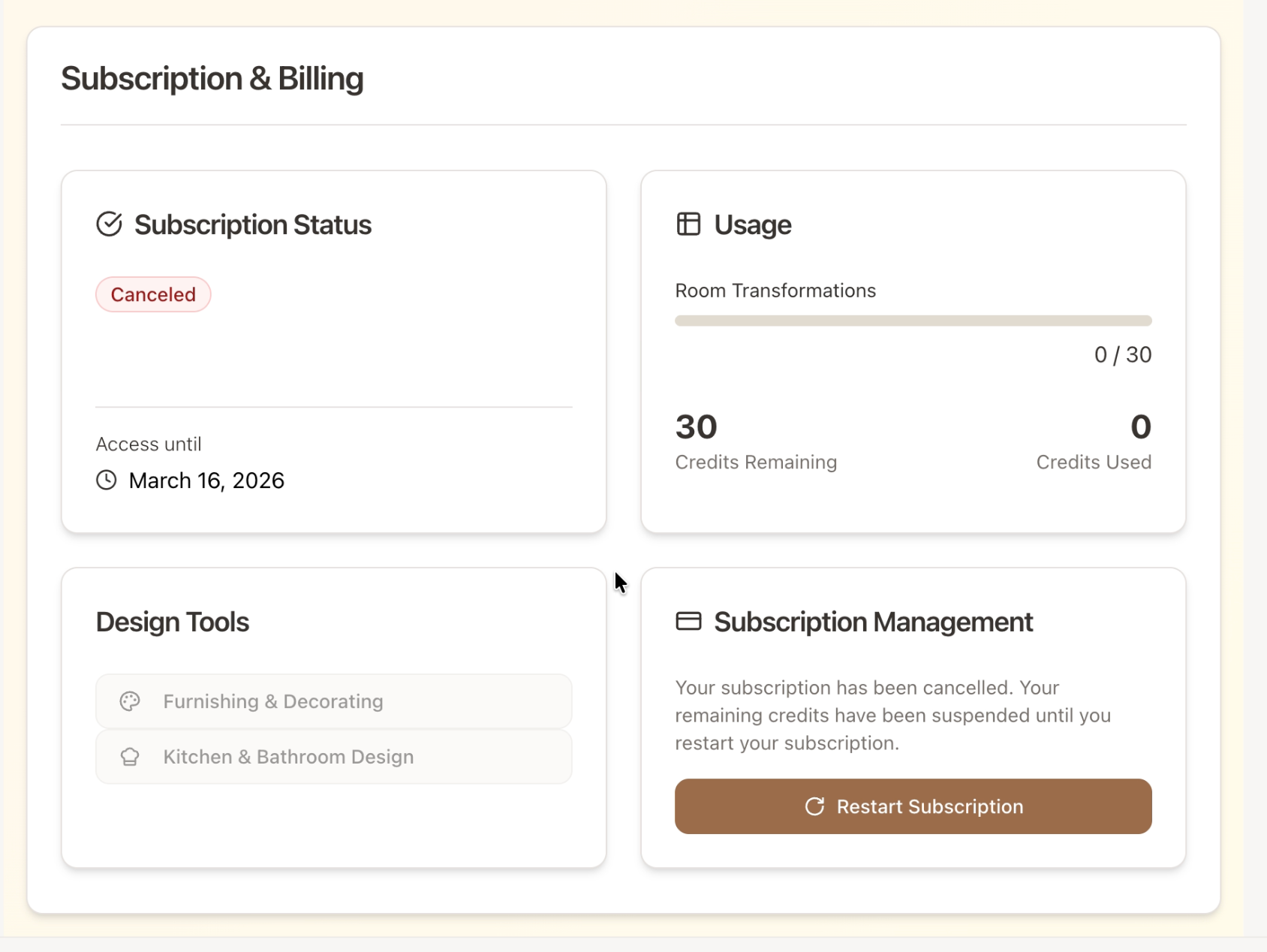
You will now be on the Your Account page.
Scroll down to the Subscription & Billing section.
If your subscription was previously cancelled, you will see a “Restart Subscription” button.
Click “Restart Subscription.”
After clicking the button, you’ll be taken to the secure checkout page.
Follow the steps to confirm your payment details.
Once the checkout is complete, your subscription will be active again and you can continue using Room Visualizer™ AI.
Was this helpful?
Still need help? Ask the team