New Updates

Follow new updates and improvements to Room Visualizer™ AI.

March 26th, 2026

New

Improved

February & March was a big month.

We've brought back one of the most requested features, completely rebuilt, and made it easier to get into your account.

Here's what's new.

✨ Major Feature: StyleLens™ Is Back — Your Design DNA

StyleLens™ is one of the features we're most excited about, and it's been completely reworked.

Here's the idea: you upload 5–10 images that represent the look, mood, and vibe you're drawn to. The AI analyses them and builds a unique style profile — your Design DNA. It captures the colors, materials, forms, and atmosphere that define your taste.

StyleLens™ now lives right in your dashboard, so you can view and manage your style profiles anytime.

But here's the big upgrade:

You can now apply your StyleLens™ directly when generating a room design.

Instead of uploading inspiration images every time, you can select your StyleLens™ as the style source — and the AI will design your room using your unique aesthetic. Your style, applied to your real space.

You can also create multiple StyleLens™ profiles — one for your living room vibe, another for your bedroom, one for a different home entirely. When generating a design, just select the StyleLens™ you want to apply. This gives you the flexibility to explore different aesthetics across different spaces, while keeping each one consistent and intentional.

This means you can:

  • Build style profiles once, and reuse them across multiple rooms

  • Create different StyleLens™ for different spaces or homes

  • Choose which StyleLens™ to apply when generating a design

  • Get more consistent, cohesive results that actually feel like you

  • Skip the step of finding inspiration photos for every generation

  • See your Design DNA come to life in your actual room

A quick note: StyleLens™ is still being tuned. It works really well for living rooms. But if your room photo is mostly empty and it's another room type (bedroom, office, etc.), we'd recommend also uploading a photo or two of furniture alongside it. This helps the AI anchor the room better. We're continuing to improve this.

🔐 New: Login with Password

Until now, the only way to sign in was through a magic link sent to your email. It worked, but it wasn't always convenient, especially if the email was slow or the link ended up in spam.

You can now create a password and log in directly. Simple, fast, and no more hunting through your inbox.

Magic link login still works if you prefer it, this just gives you another option.

⚙️ Improved: Keep Items

This one came directly from your feedback.

Previously, when you selected items to keep during a redesign, the AI didn't always preserve them properly. Furniture would disappear, or get swapped out even when you'd marked it to stay.

We've made significant improvements to how Keep Items works. The AI is now much better at recognising and preserving the specific elements you want to keep in your space.

If you want the best results, we recommend using the Experimental model when working with Keep Items — it's dramatically better at preserving the items you select. Give it a try and see the difference.

🔧 Improved: Fix Room Architecture

You already know the Fix Room feature — when the AI changes your room's architecture (adds windows, moves walls, changes the layout), you can ask it to correct the design to match your original space.

What's new is that you can now describe the specific corrections you want made. Instead of just clicking "Fix Room" and hoping for the best, you can tell the AI exactly what needs fixing — like "restore the large window on the back wall" or "remove the added walls and keep the original openings."

This gives you much more control over the correction and can lead to better results.

Also new: You can now rename your rooms from the room details page — just click the pen icon next to the room name.


We're continuing to improve the app every month, and your feedback helps shape what we build next.

Happy designing,
Reynard & the Room Visualizer™ AI Team

February 10th, 2026

New

Improved

Fixed

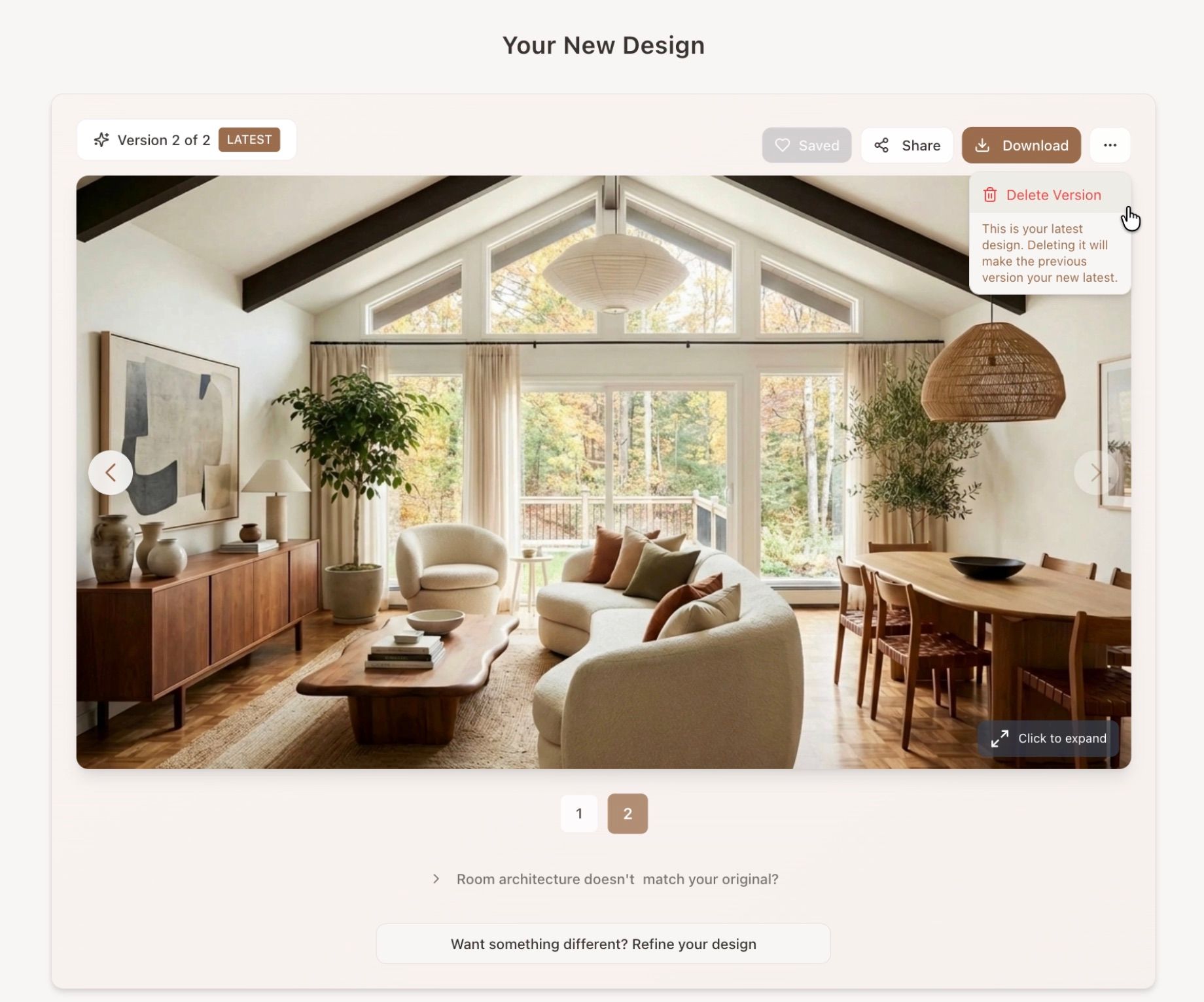
✂️ New: Delete a Refinement

You can now delete unwanted refinements (with confirmation) and continue refining from your last good result instead of starting over.


🔢 Improved Refinement Navigation

  • Added numbered stepper to move between refinements

  • “Latest” badge to clearly mark the newest version

  • General UI improvements for smoother iteration


🌐 Stability Fixes (Safari & Chrome)

Resolved generation errors affecting some Safari users (and a few Chrome users).
Improved reliability across browsers.


💳 Subscription Management Improvements

  • Previously unsubscribed users can now re-subscribe directly from the dashboard

  • Fixed issue preventing some users from reactivating

  • Subscription status and next billing date now visible in Account & Billing

January 7th, 2026

New

Improved

Fixed

Standard Model: Faster & More Photorealistic

We’ve updated the Standard AI model, and you should notice two big improvements:

  • Much faster generation — most designs now complete in under a minute

  • Improved photorealism — more natural lighting, textures, and depth

The Standard model still prioritizes overall cohesiveness and consistency, but now delivers results faster and with a more lifelike feel.

We recommend trying both the Standard and Experimental models to see which one works best for your space, each excels in slightly different ways.


🍽️ Kitchen & Bathroom Tool: Major Model Upgrade

We’ve also upgraded the AI powering the Kitchen & Bathroom tool.

You’ll now see:

  • More photorealistic results

  • Better material and texture handling

  • Faster generation times (typically under a minute)

This brings the kitchen and bathroom experience much closer to the quality and speed you’re seeing in other parts of the app.


🛠️ Improved Stability & Fewer Errors

Some users reported occasional server errors during image generation earlier this month. We’ve made backend improvements to address this, significantly reducing these issues and making the system more stable overall.

This should result in:

  • Fewer failed generations

  • More reliable processing during busy periods

  • A smoother experience across devices

December 8th, 2025

New

Improved

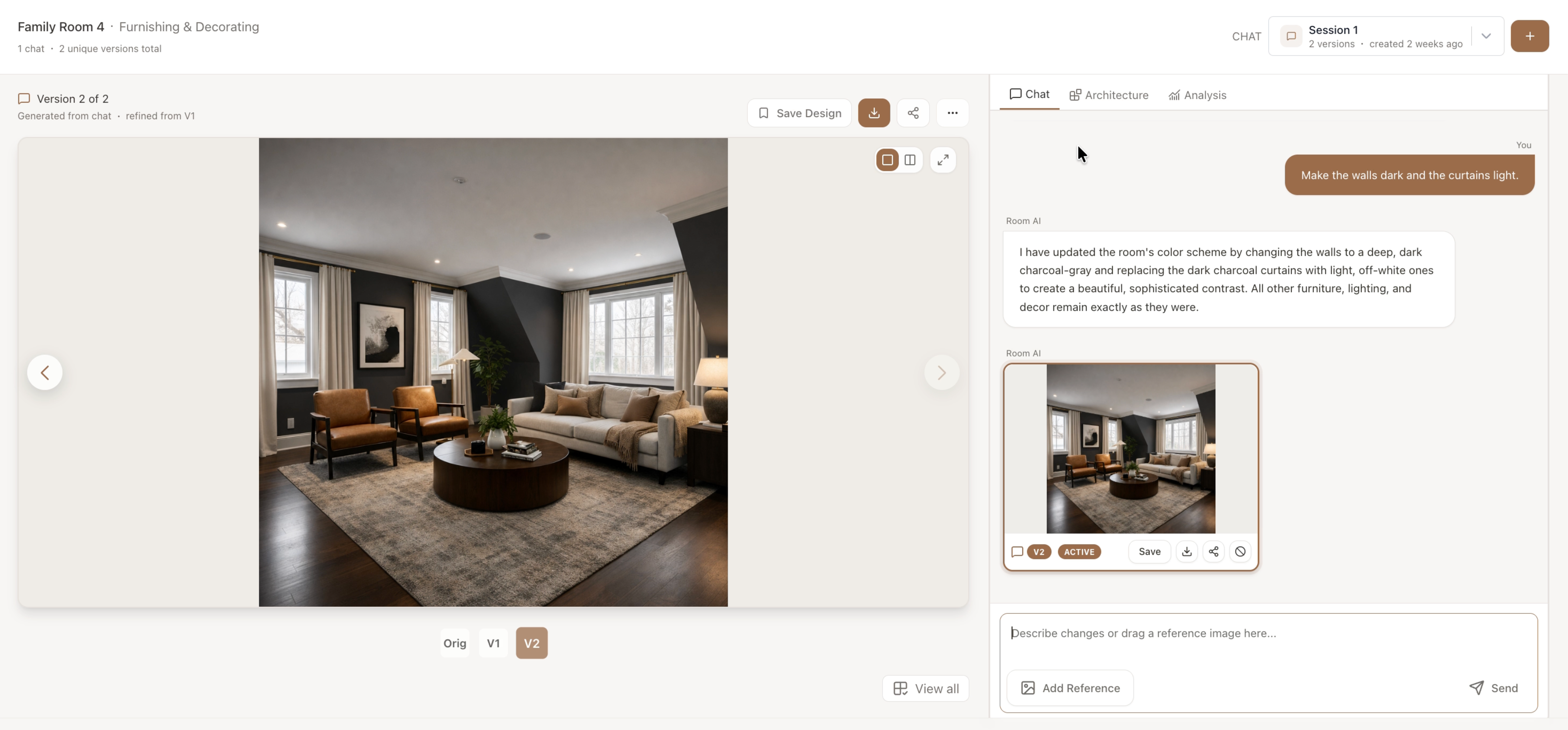
🪄 New: Simpler, Smarter Furnishing & Decorating Workflow

We’ve completely overhauled the furnishing & decorating form to make the process faster, clearer, and more accurate.

The new workflow now includes a Styling Intent step, helping you tell the AI exactly how you want to approach your redesign.

This means the AI better understands your intent right from the start, so you get results that align more closely with your goals.


⚙️ Choice of 2 AI Models for Furnishing & Decorating

You can now choose between two AI models when generating your design:

  • Standard Model – reliable, consistent results. This is the model we’ve been using.

  • Experimental Model – faster, more photorealistic, and incredible with complex architecture.

We encourage you to try the Experimental Model. In our internal tests, it produces highly realistic textures and detailed results in under a minute.

*Color looks slightly washed out here due to GIF formatting

It’s still being tuned, so you may notice inconsistencies, but early results have been outstanding.

(Coming Soon: we’re bringing this same experimental model to the Kitchen & Bathroom tool, too!)


🏡 Improved Project Dashboard

We’ve made the Project Dashboard even more flexible:

  • You can now custom name your rooms instead of choosing from preset options.

  • Fixed bugs that caused rooms to appear out of order or fail to delete properly.

  • General UI and stability improvements for a smoother workflow.

Your dashboard is now a cleaner, more reliable way to manage multiple room projects at once.


We’re thrilled with how much progress we’ve made this month, all thanks to your feedback!

December will bring even more updates to the experimental model and new features for kitchen and bathroom design.

Happy designing, Reynard & Room Visualizer™ AI Team