🏠 How to Navigate the Project Dashboard
Learn how to use the Project Dashboard in Room Visualizer™ to view, organize, and manage all your rooms and saved designs in one place.
Written By rlowell
Last updated 4 days ago
The Project Dashboard is your central hub in Room Visualizer™, where every room, project, and saved design comes together.
It’s designed to help you stay organized, manage multiple rooms, and keep your design projects moving forward without starting from scratch.
🔹 What You Can Do
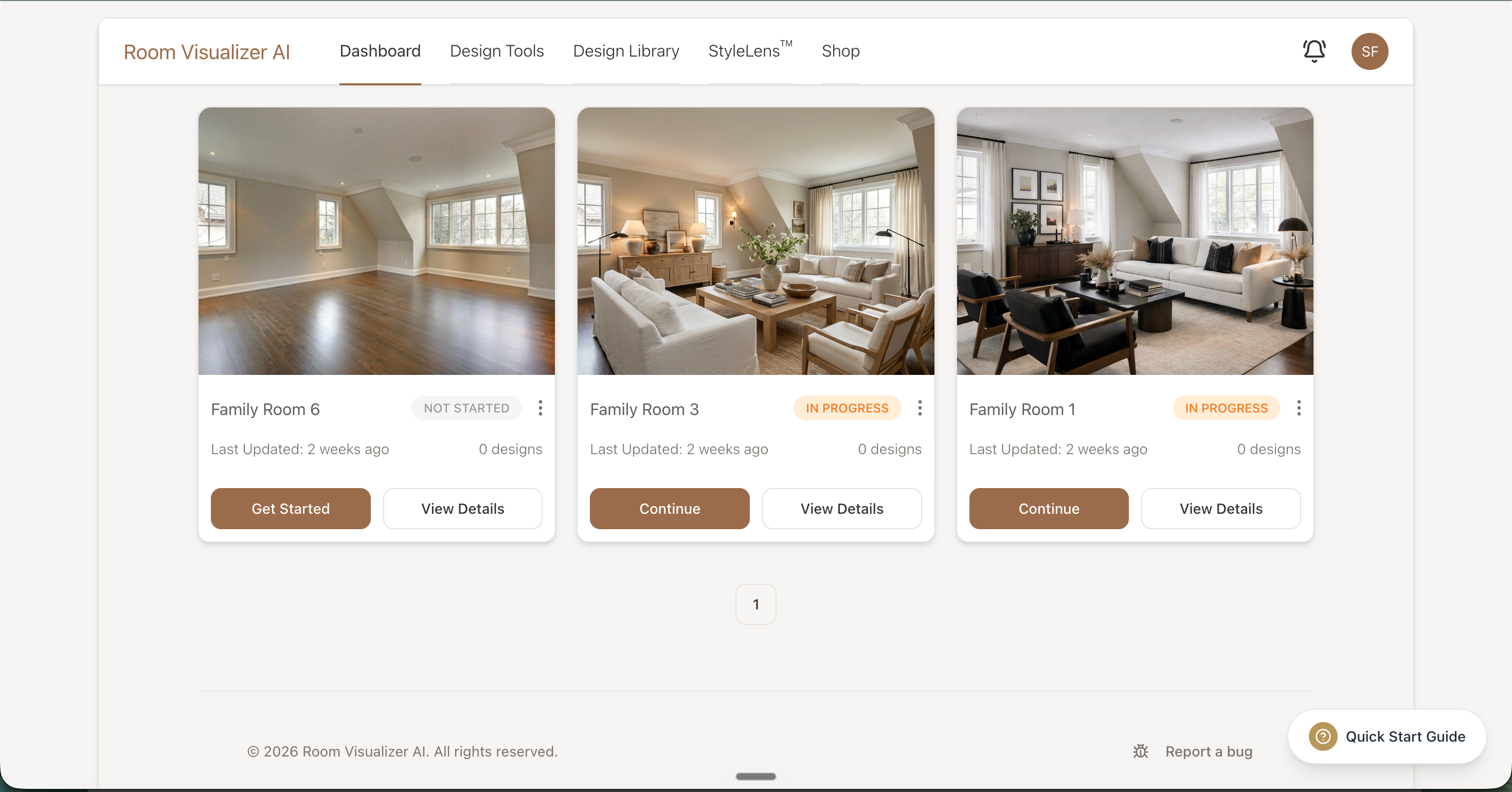
1. View All Your Rooms and Projects
See every room you’ve created in one place.
Each project card shows:
Room name (e.g., Living Room, Bedroom)
Thumbnail of your latest design or uploaded photo
A button to pick up where you left off
2. Add a New Room or Project
Start a new space anytime by clicking Add Room. Give the room a name, and add a photo if you have one handy. The photo is optional, so you can add it later in the design form.
Your new room appears straight away on the dashboard.
Starting a new design in a room that already has one creates a copy of that room (like "Kitchen - Copy 2"), so each design keeps its own history.
3. Continue Where You Left Off
Open a room from your dashboard to pick up where you left off. Your photo and settings load automatically, so there's no need to start over.
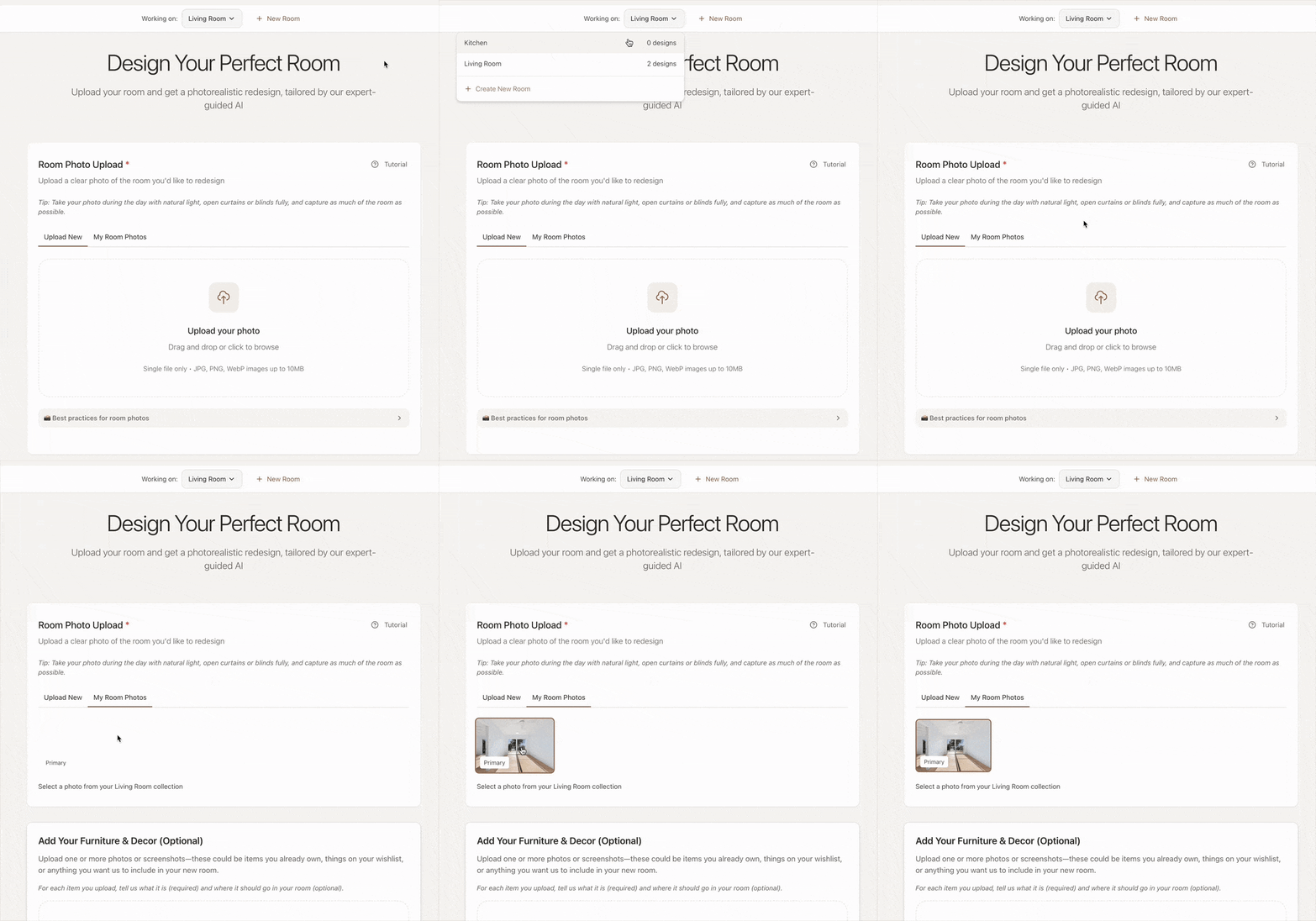
4. Reuse Past Uploads
When you start a new design, you can choose from previously uploaded room photos or inspiration images.
Simply click ‘My Room Photos’ in the form and select the image you’d like to reuse.
This makes it faster to explore different styles or variations for the same space.
5. Track Your Progress
Your dashboard keeps everything organized and visual:
See designs you’ve generated for each room
Quickly compare results or continue refining
Stay on top of every project in your home
6. Other Tabs on Your Dashboard
StyleLens™ is where you build and save your style profiles. StyleLens guide
Shop holds the Interiors Black Book, a directory of 500+ handpicked brands and stores, for when you've settled on a design and want to know where to buy it.
💡 Pro Tip
Think of your dashboard as your home design project manager: Keeping all your rooms, designs, and ideas organized in one place so you can pick up exactly where you left off.
Was this helpful?
Still need help? Ask the team