October 2026 Update: Browse Our Collection & Sharper Refinements
Hi There,
October has been about making it easier to start a design, and keeping your designs looking their best as you refine them.
Here’s a quick recap of what’s new.
🖼️ New: Browse Our Collection
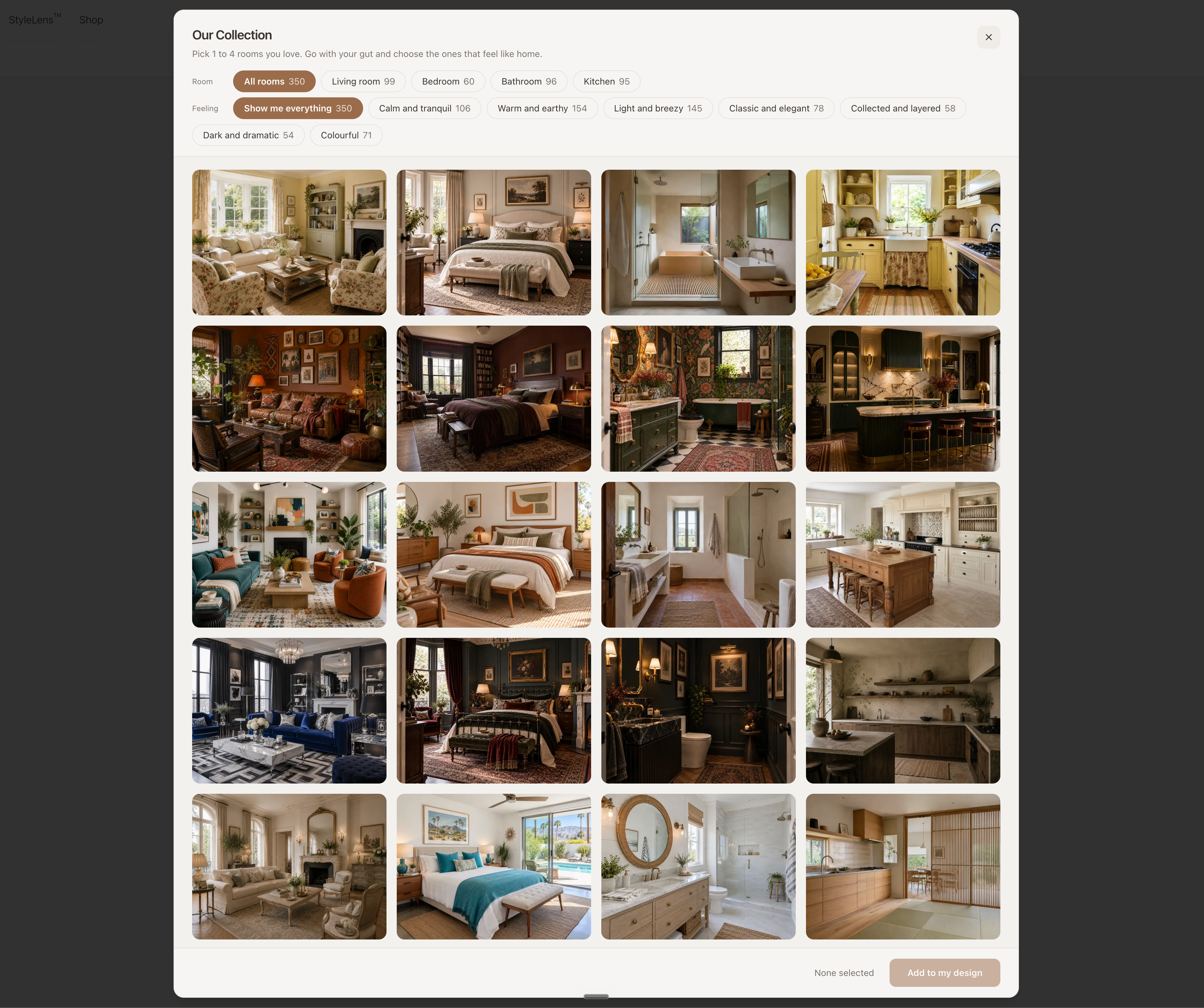
Last month we said an inspiration gallery was on the way. It’s now live.
Until now, you needed your own inspiration images before you could start a design. If you didn’t have any saved, that step could stop you before you’d even begun.
In the Style Guidance section of the design form, you’ll now see a Browse our collection button. It opens a set of rooms we’ve picked out for you. You can filter them by feeling, then pick the rooms you love to guide your design.
This means you can:
Start a design straight away, even with no inspirations saved
Try a completely different look in a few clicks
Explore styles you might not have thought to search for
If you already have inspiration images, keep using them. Your own images still work really well, often better, because they bring more variety and come from real homes. You can also mix the two by adding a couple of rooms from our collection to your own images.
✏️ Improved: Sharper Refinements in Design Chat
Design Chat now follows your changes even more accurately.
The bigger difference is image quality. In longer chats, the image could slowly lose some sharpness after several refinements. Now it keeps its quality much better, even after many rounds of changes.
This means:
Changes come out more accurately
Your design stays crisp, even several refinements in
You can keep going without starting over to get a clean result
🛁 Improved: Kitchens & Bathrooms
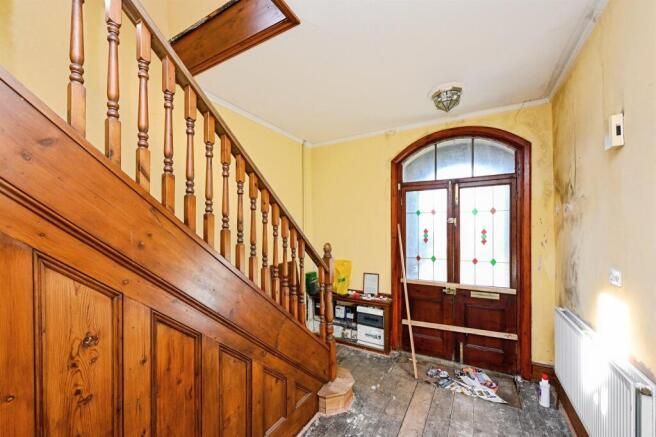
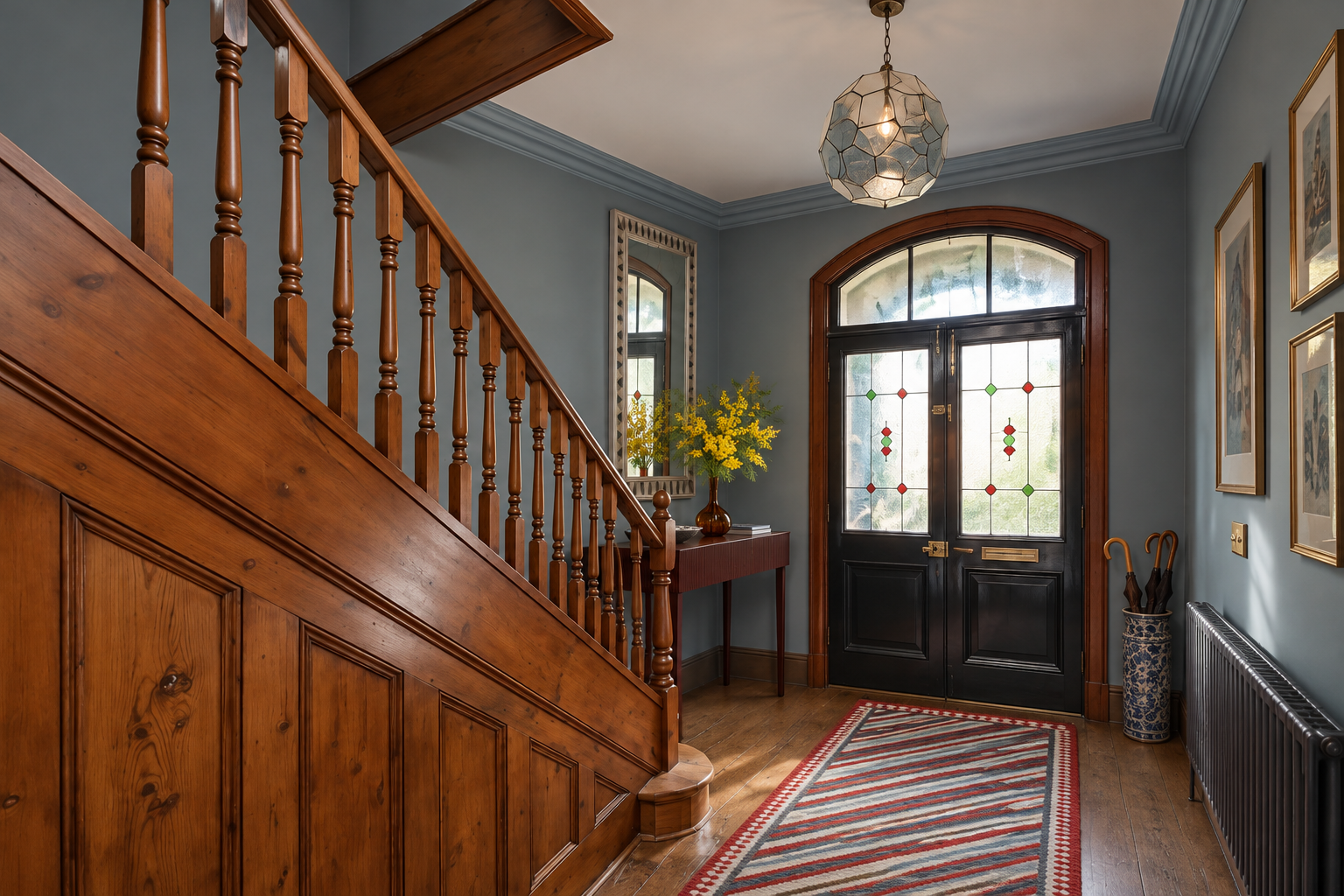
Last month we said kitchens and bathrooms were getting a bigger upgrade. It’s now here.
The Kitchen & Bathroom tool is much more accurate. It’s better at following your room’s architecture and keeping its proportions true to your real space, so it’s easier to picture how a renovation would actually look.
⚡ Improved: A Simpler Design Form
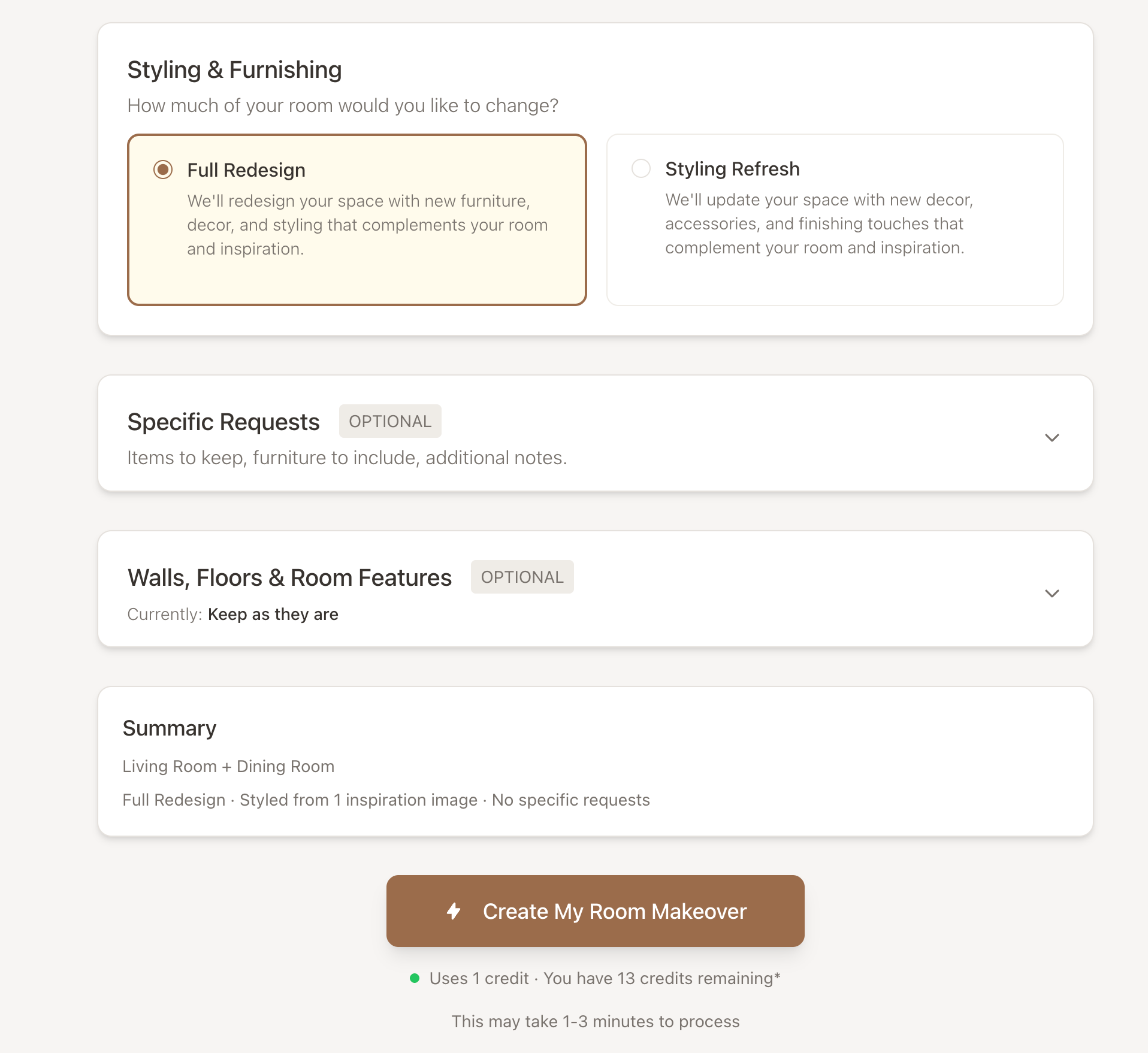
We’ve reorganised the Furnishing & Decorating form so it’s easier to fill in and to check before you create.
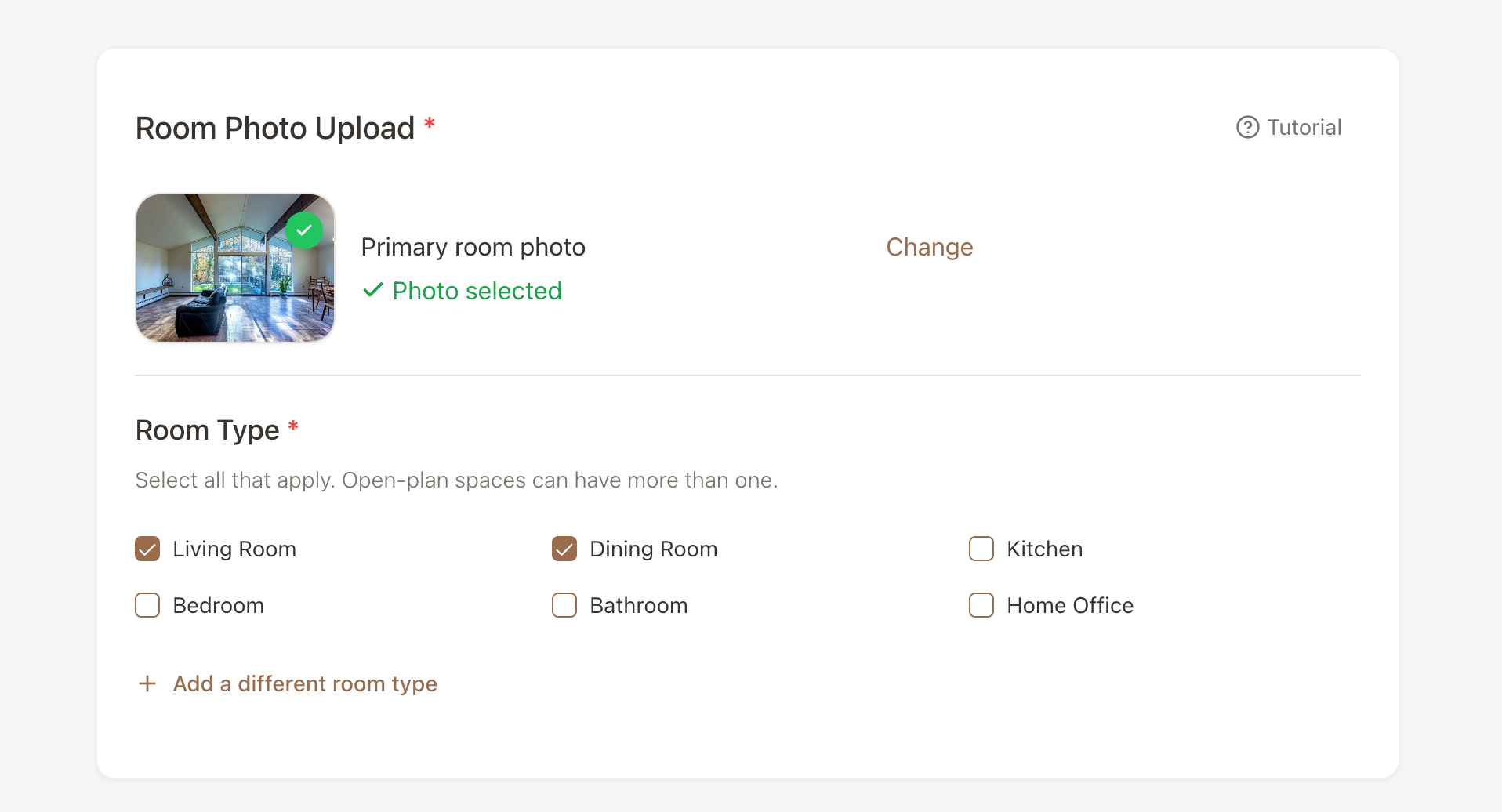
Room type. Tell us what the room is for. For open-plan spaces like a living and dining room, you can tick more than one. This helps the AI design for how you’ll actually use the space, especially if your photo shows an empty room. It’s saved to the room, so you only answer once. Rooms you already have will ask the next time you create a design.
Walls, floors & room features. This now has its own section and is set to “Keep as they are” by default. That makes it clear your room’s structure stays the same unless you choose to change it.
Specific Requests now sits above the Create button, where it’s easier to find.
A quick summary of your choices now shows just above the Create button, so you can check everything at a glance before you generate.
🏠 A New Homepage
We’ve also rebuilt the roomvisualizerai.com homepage from scratch. If you’ve ever wanted to show a friend what Room Visualizer™ can do, it’s a much better place to start.
We’re continuing to improve the app every month, and your feedback helps guide what we build next.
Ready to try what’s new? Jump back in and start designing:
Happy designing,
Reynard & the Room Visualizer™ Team